 InstaDetox
Help & frequently asked questions
Last updated: 17 September 2026
Stuck? Just write to us. In the app, tap the gear icon at the top right and choose “Feedback & help”. We read every message and reply personally, including for small things and when you only have a suggestion. We genuinely care that the app works for you.
Quick help: the five most common cases
| Problem | Answer |
|---|---|
| Nothing happens when I open a social media app | The permission is missing |
| The breathing pause appears constantly | “Repeat pause” is set too short |
| The breathing pause sometimes doesn’t appear | That is the grace period |
| The screen stays grey | Reset the grayscale filter |
| Red exclamation mark even though everything is set up | Check, then restart the service |
- 1. Getting started and setup
- 2. Selecting apps
- 3. The three filter modes
- 4. The breathing pause
- 5. Colour screen time and the cheat button
- 6. Your statistics
- 7. Free use, trial and subscription
- 8. Feedback, help and your data
- 9. When something breaks
- 10. Language, appearance, notifications
1. Getting started and setup
What does InstaDetox actually do?
InstaDetox takes the colour out of apps you select and puts a short breathing pause before they open. Both aim at the same thing: strong colours and the reflexive reach for the feed are what keep the dopamine loop running. Less stimulus means less automatic opening, and more conscious decision.
This is exactly the pattern most people recognise in themselves: you unlock the phone without having meant to. You keep scrolling long after you wanted to stop. You feel a constant restlessness to pick the device up again. Those reaches run as an unconscious behavioural pattern, and that is where InstaDetox steps in.
What you get out of it:
- Less screen time, without locking yourself out.
- The decision is yours again, instead of the feed deciding for you.
- A calmer phone: in real grayscale, feeds, reels and short videos lose their pull. Checking simply pays off less.
- Visible progress: your statistics show opening attempts, cancellations and the time you won back.
- More time for what counts: the minutes that do not vanish into the feed are available for something else.
- No nannying: the app blocks nothing permanently. You can get into any app you want to open, you just notice that you are doing it.
Is InstaDetox an app blocker?
No, and deliberately so. If you want to block apps, there is plenty of choice. A social media block only works as long as you do not circumvent it, and in practice that tends to happen after a few days.
InstaDetox removes the stimulus instead. On top of that there is a daily limit for colour screen time that you set yourself. So you do not lock yourself out, you decide consciously.
More on this: Block apps or take away the pull?
Who is InstaDetox for?
For anyone who knows the feeling of holding their phone without having consciously picked it up.
Many people who describe themselves as neurodivergent or live with ADHD report that this automatic reach for the feed is particularly hard to interrupt. That is where the breathing pause comes in: it puts a short moment between impulse and action. Whether that works for you is something you will find out in the first few days. InstaDetox is a tool for everyday life, not a therapy and not a medical application.
What does colour have to do with habit?
Feeds and short videos are built on constant small rewards: strong colours, quick cuts, movement. Take the colour away and the same material feels considerably more sober: the grayscale filter works exactly where the dopamine loop forms. Many people notice that they stop earlier without having to force themselves.
This is not a promise of a cure, but an everyday observation. Try it and see whether it works for you.
More on this: Does grayscale really work?
Why is the setup so involved?
This is the most common question, and the honest part of the answer is: Android does not allow anything simpler.
For an app to be allowed to react to you opening a different app, you have to grant it explicit permission. That permission is granted by the operating system and lives in the system settings, not with us. For the true system grayscale filter (option 3) a second, specially protected permission is needed. It is granted once and then stays in place.
- The setup takes a few minutes, once.
- After that there is nothing more to do, not even after restarting the phone.
- Every app with this function requires the same steps. Anyone promising otherwise can in truth do less.
How does the guided setup work?
On first launch you see three items below the app name. Each one is a step:
- Grant the accessibility permission: without it the app does not notice when you open a monitored app.
- Switch on the breathing pause: one toggle, effective immediately, no computer needed.
- Set up option 3: the true system grayscale filter.
Once a step is done, the item gets a tick and the app shows you the next card shortly after. Tip: you can also tap each item yourself. The app then jumps straight to the right place.
The order is intentional: step 2 works immediately and without a computer. That way you experience what the app does before the most involved step.
Is there a video guide?
Yes. We filmed the complete setup once, calmly and start to finish, including option 3:
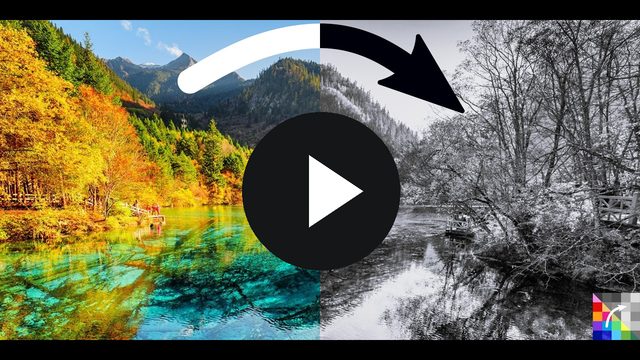
More videos are on our channel. Missing a topic? Tell us and we will record it.
Do I have to do step 3?
Technically no, the app is usable after step 2. But we expressly recommend step 3. The system-wide grayscale filter (option 3) is the function that delivers the actual effect.
The reason lies in the difference in effect: option 2 lays a grey veil over the image, so the colours underneath remain and keep working, and the screen mainly gets darker. Only option 3 genuinely takes the colour out, and only then do feeds, reels and short videos lose the pull that drives unconscious scrolling.
In short: if you want the effect InstaDetox is about, choose option 3. Option 2 is the entry point for anyone who cannot do the one-time setup right now: better than nothing, but clearly weaker. See filter modes.
If you do not have a computer or Wi-Fi to hand right now, you can do step 3 later. The three items only disappear once everything is done.
Why does nothing happen when I open an app?
In almost all cases the accessibility permission is no longer active. Reasons we know of:
- It was never granted (the first item at the top of the app is still open).
- The phone was set up again or the app was reinstalled.
- The app was force-stopped through the system settings.
- A manufacturer battery saver stopped it in the background.
How to check: tap “Check permissions” on the permissions card. If the red exclamation mark stays, troubleshooting helps.
Do I have to leave the app open?
No. It works in the background. You can close it, restart the phone and not open the app for weeks.
Why does Android ask me something in every new Wi-Fi after setup?
If you set up option 3 over Wi-Fi, a developer setting stays active that Android asks you to confirm in each new network. You do not need it after setup. The app offers you a card right afterwards: “Wireless debugging is still on” → “Switch off now”. One tap is enough, and your permission stays in place.
If you do not see the card: it only appears while the setting is actually still active.
2. Selecting apps
Which apps are monitored?
Only the ones you select. A few obvious ones are pre-selected, everything else is your decision. In the app selection you can search and tick apps on and off; changes are saved immediately.
My app is not in the list. What now?
The list shows the apps installed on your device. First check the spelling in the search. If the app is still missing, write to us through Feedback & help. We add missing apps regularly and are glad of the pointer.
Does the selection also apply to websites in the browser?
No. Apps are monitored, not individual pages inside a browser.
3. The three filter modes
| Mode | What happens | Requirement |
|---|---|---|
| Option 1 No filter |
Everything stays in colour. The breathing pause can still run. | none |
| Option 2 Overlay grayscale filter |
A grey veil is laid over the app. | accessibility permission only |
| Option 3 Grayscale filter (system) |
The app appears in true grayscale. | one-time additional setup |
What is the difference between option 2 and option 3?
This is the most important point on this page:
- Option 2 is not a true grayscale filter. It is a grey veil lying over the image, as if you were looking through tinted glass. The colours underneath are still there, they are only muted, and the screen gets darker. You set the strength as a percentage.
- Option 3 is Android’s real grayscale mode. Red, blue and green genuinely disappear, and the image stays bright and readable. That is what takes the appeal out of feeds and short videos.
Our clear recommendation: option 3. The one-time setup takes a few minutes and is the difference between "a bit darker" and "really without colour". Only option 3 takes away from feeds and short videos the stimulus that drives unconscious scrolling, and that is what InstaDetox is actually built for.
Option 2 is the entry point for anyone who cannot or does not want to do the setup: available immediately, better than nothing, but clearly weaker in effect.
The filter does not switch
- Is the app in question actually selected?
- Have the permissions been granted (see above)?
- Is colour screen time currently running via the cheat button? Then colour is intended.
- If none of this helps: troubleshooting.
My screen stays grey. What now?
This can happen if the app was unexpectedly terminated by the system. Solution: gear icon → Troubleshooting → “Reset grayscale filter”. The screen is in colour again immediately.
Important before uninstalling: set the filter to option 1 first. An uninstalled app can no longer reset anything.
I use Android’s colour correction. Do they work together?
Yes. InstaDetox remembers your own setting and restores it as soon as the filter ends.
4. The breathing pause (“Open consciously”)
What is the breathing pause?
Before a selected app opens, a short breathing moment appears with a clear question: really open, or cancel? It takes a few seconds, and those seconds are often enough to interrupt the automatic reach for the feed.
The breathing pause appears constantly. What is going on?
Almost always the “Repeat pause” setting is very short, for example one minute. The app then interrupts longer scrolling every minute. That is by design, but it quickly feels like a bug.
How to change it: breathing pause card → “Configure breathing pause” → Repeat pause. Set a value that suits you (many choose 10 to 20 minutes) or 0 = off.
Why does the breathing pause sometimes not appear?
That is the grace period. It makes sure you do not have to breathe again for every brief switch: if you leave an app and come back within the configured time, it opens directly.
This is designed for everyday use: tap a link, check something quickly, switch back. If you want to decide consciously every time you return, set the grace period to off (0). Then the app really does ask every time.
What do the other settings mean?
- Duration of the breathing exercise: how long the breathing moment runs.
- Breathing pace: how fast one breath goes.
- Open muted: the app starts without sound; the first tap turns it on. Helps against videos that immediately blast away.
I switched the breathing pause on, but nothing happens
Then the accessibility permission is missing. Without it the app does not notice that you are opening a monitored app. In that case it will guide you to the right card itself.
Can I bypass the breathing pause?
There is nothing to bypass: you can always choose “Open”. That is exactly the point: a conscious decision rather than a barrier to fight against.
5. Colour screen time and the cheat button
What is the daily allowance?
Sometimes you genuinely need an app in colour: to look at a photo, sell something, check a video. For that there is a daily limit of colour screen time that you set yourself (default: 15 minutes).
How do I get colour back briefly?
In an app filtered to grey, a small button appears at the edge. Tapping it opens a menu with “+1 min colour”. Each further tap extends the colour time by one minute, up to five minutes at a stretch, and never beyond your daily budget.
Why does it say “0 min left” when I still get colour?
The display rounds down so that it never promises more than there is. If less than 60 seconds remain, it shows “0 min”, but you still get the remaining seconds.
The allowance is used up, what now?
It refills automatically the next day. You can change the daily budget at any time on the Colour screen time card, but take a moment to consider whether that is the decision you wanted to make.
Can I move the button?
Yes, it can be dragged up and down. It disappears when the screen is locked and comes back after unlocking.
6. Your statistics
What do the statistics show me?
How often you wanted to open a monitored app, how often you decided against it, and roughly how much time you gained as a result, extrapolated to the year as well. Plus a comparison with the previous week.
Why do I see no figures?
Figures only appear once the breathing pause is active and you open a monitored app. Right after installation the statistics are empty.
What is the optional screen time?
In addition, the app can show you the actual screen time of your monitored apps. For that it needs a separate permission in the system settings, which you can grant or refuse at any time. Everything else keeps working without it.
Does this data stay on the device?
Yes. It is calculated there and stored there. Nothing leaves the app unless you explicitly send it along with feedback. Details are in the privacy policy.
7. Free use, trial and subscription
What is permanently free?
- Option 2, the overlay grayscale filter
- Your statistics with all figures
- the app selection, the daily limit for colour screen time, all settings
So InstaDetox stays usable without a subscription.
What does the subscription cost, and what do I get?
Premium unlocks the two most effective functions:
| Function | Why it makes the difference |
|---|---|
| Option 3 true system grayscale filter |
The colours are genuinely gone, not just muted. Feeds and short videos lose their appeal most clearly this way. |
| Breathing pause | The moment before opening: the point where habit turns into a decision. |
Price (as of 17 September 2026): EUR 9.99 per year, EUR 4.99 for the first year as an introductory offer. The price shown to you by the Google Play Store at purchase is always the one that applies. It can differ by country and tax.
How long can I try it?
You get 14 days free for each of the two paid functions: no payment details, and nothing is ever charged automatically.
It matters to us that you get to know InstaDetox before you pay anything or enter payment details. In that time you can find out for yourself how well the app works for you, and whether the subscription is worth it. Your own statistics give you an honest yardstick: they show you in black and white how much your use of the selected apps actually drops.
Just as important to us: that you have enough time for the setup and can check whether everything works on your device the way you expect. That is why the 14 days for each function only start once you actually use it for the first time: the breathing pause from its first use, the system-wide grayscale filter from the moment it first really runs on your device. The two periods run independently. So you never pay for a function that never worked on your phone, and the setup may take as long as you need.
What happens after the trial?
The breathing pause says goodbye with one last run and then switches itself off, and the filter falls back to option 1. Your phone is never left grey. Option 2 and the statistics continue unchanged.
How do I subscribe?
In the app: gear icon → Subscription section → “View subscription”. The purchase runs through the Google Play Store with the payment methods stored there.
How do I cancel?
Gear icon → Subscription → “Cancel now”. The button leads straight into the Play Store subscription management. There is no intermediate page, no confirmation question and no retention offer. After cancelling you keep Premium until the end of the period you paid for.
The entry only appears if a subscription is actually running through the Play Store.
Withdrawal and invoices
Your contracting party for the purchase is Google. Withdrawal, refunds and invoices therefore run through your Google Play account. Our support is still glad to help if you run into problems: write to us through Feedback & help. Details are in the terms of use.
I paid, but the functions are locked
- Are you signed in to the Play Store with the same account you bought with?
- Open InstaDetox again so that the purchase status is checked freshly.
- If it persists: Feedback & help with usage data attached. It contains the permission status, which saves a round trip.
What is “Unlock app with code”?
That is an exclusive function for demonstrations and special occasions. We hand out individual codes personally, for example for demos, tests or particular occasions. Codes cannot be bought, extended or transferred, and each code can only be redeemed within a certain period.
If you have received a code: gear icon → scroll to the bottom → enter code.
8. Feedback, help and your data
How do I reach support?
Gear icon → “Feedback & help”. You can give stars and write what is not working. Both reach us as an email, and we reply personally.
Prefer plain email? That works too: instadetox-support@shortcut-it.com.
I have a suggestion for improvement
Very welcome, via the same route. InstaDetox is a young project, and a large part of what works well came out of feedback from users. If something is missing, feels clumsy, or you have an idea: write to us. Even one sentence helps.
What is the optional data attachment, and why is it worth it?
When sending, you can voluntarily include a small file. It contains your settings (for example the filter mode you chose and your breathing pause values), which permissions have been granted, and some aggregated usage figures.
Why it helps: the most common follow-up questions in support are “which permission do you have granted?” and “how are your breathing pause values set?”. If they are already in the email, you get a solution instead of a question, which usually saves several days.
What it does not contain: the names of the apps you selected, content, messages, contacts, your location, or any identifier leading back to you. You see the file in full before sending and can leave the attachment out at any time. The message still goes out.
Is anything sent without my involvement?
No. Without feedback from you, none of this leaves your device. Exactly what happens when you do send something is described in the privacy policy. How to get rid of your data again is on Delete your data.
9. When something breaks
The gear menu has a Troubleshooting section with two buttons. They are always reachable, especially when the app itself thinks everything is fine.
“Restart accessibility service”
Use this button when the app looks set up but detects nothing: no breathing pause, no colour change. This happens on some devices when the system has cleared the service away in the background. After the restart it usually works again.
“Reset grayscale filter”
Use this button when the screen stays grey although you have not opened a monitored app.
The app shows a red exclamation mark although everything is set up
- Tap “Check permissions” on the permissions card.
- If that does not help: “Restart accessibility service”.
- Still not: revoke and re-grant the permission once in the Android settings.
- If it persists: Feedback & help, ideally with the data attachment.
The filter becomes unreliable after a while
Some manufacturers terminate background services aggressively to save battery. On the app’s battery page, background usage should be allowed. The exact wording differs by manufacturer; the app shows you a matching hint.
I changed phones
Permissions only ever apply to one device. On the new phone the app will guide you through the same steps again.
Your subscription is not affected. It is tied to your Google account, not to the device: if you sign in on the new phone with the same Google account you bought with, the paid functions are unlocked again. A device change therefore only affects the setup, not your subscription.
10. Language, appearance, notifications
- Language and appearance (light/dark/system) are set in the gear menu. After saving, the view restarts briefly.
- Notifications are used very sparingly, essentially to tell you when the free period ends. You can switch them off in the system settings.
Didn’t find what you needed?
Then write to us. Gear icon → “Feedback & help”, or directly to instadetox-support@shortcut-it.com.
We are a small team and read every message ourselves. Briefly describe what you did and what happened, and attach the usage data if it is a technical problem. Then we can usually answer straight away instead of asking back.